Guide to fix 504 gateway timeout error
It is a little frustrating when your website shows error messages. The worst scenario is when you as a brand are not meeting the expectations and requirements of the audience. It can damage your reputation in the market permanently.
The “http error code 504 gateway timeout” can hurt the experience of the user. Here we have shared some details about how to fix the 504 gateway timeout error?
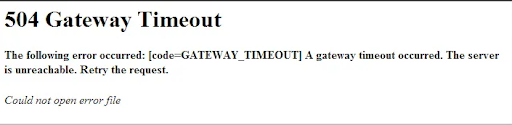
http error code 504 gateway timeout will differ from server to server
1. 504 gateway timeout errors appear differently on different servers. For instance, it will appear like the following on the user’s browser.
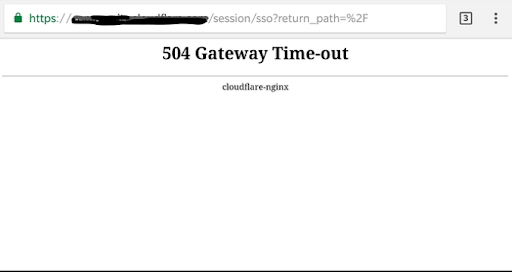
2. A 504 gateway timeout error will appear like HTTP ERROR 504 on Google Chrome.
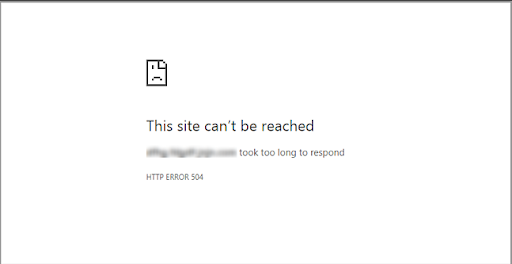
3. The http error code 504 gateway timeout will be displayed as the following in the Window-based programs.
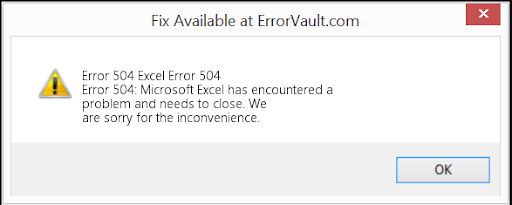
4. Now during the process of Window Update, you will see the http error 504 gateway timeout as:-
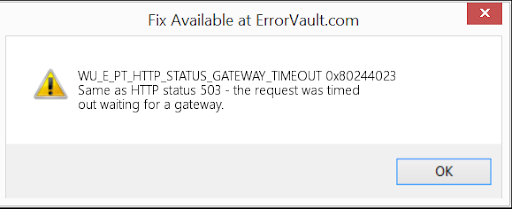
5. Now, you will be seeing http error code 504 gateway timeout as the image below for browsers, OSs, web servers, etc.
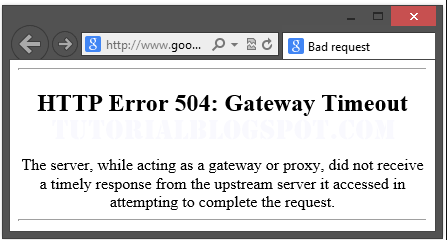
What is the significance of the 504 gateway timeout error?
When a user visits your website, the server will initiate the request to another server. Now, this will be the place where your website will be hosted. This server is also known by the term “upstream server”. As soon as it receives the requests, it will respond with the resources that are required to load the site on the user’s browser.
So, What does error 504 gateway timeout mean?
The 504 Gateway Timeout error simply means that your server did not receive a swift response from the upstream server. The request that was raised was timed out and the server is not able to load your web page. Finally, it fulfills the role of the gateway. This is the reason why it is known by the term “Gateway Timeout” error.
Now, you may be astonished and looking for the main reasons that cause a delay in the responses.
Causes of 504 gateway timeout error
504 Gateway Timeout Errors are one of the most frustrating errors that you will receive. It will give you a clear picture of what happened to your website.
Please Note:-
It will not tell you the real reason why “http error 504 gateway timeout” happened. This is at times a challenging position for the person who looks for ways to fix the issue.
Let us check some of the possibilities:-
1. Issues related to server connectivity
Most sites work on third-party hosting providers or multiple servers. Most websites live on multiple servers or third-party hosting providers. If your server is down for maintenance or any other reason, your website could serve visitors a 504 gateway timeout error page.
2. Changes in the DNS
You might be seeing the http error 504 gateway timeout error in two scenarios.
a) When you have changed the site to a separate IP address.
b) When you have changed the server to a different IP address.
In these two scenarios, your website will not work/ run until the changes will take full effect. It may take a few hours to run things smoothly.
3. Configuration of Faulty Firewall
The Firewall protects the website from any DDoS attacks or malicious visitors. Now, if you have configured a faulty configuration will deem the request from the network of content delivery. This may finally result in an http error code 504 gateway timeout error.
4. The errors on the website code
If you have written the wrong codes you will undoubtedly see a 504 gateway timeout error. In this case, your server will not be able to respond to the request of the content delivery network.
5. Errors in Network Connectivity
Since 504 gateway timeout error is the outcome of the timeout. Now, the issue may arise when the request processes between the servers. You cannot blame the internet connection or the device of the user.
If only one user is raising the alarm then the problem is with their device or modem. In this case, you can even ask them to check their internet connection also.
How to fix the 504 gateway timeout error?
1. Refresh your website
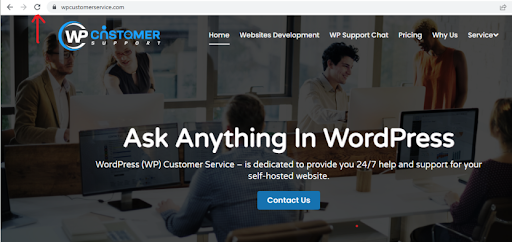
You need to understand that the 504 gateway timeout error is a temporary problem. This issue is sometimes temporary. The chances are that your website may be overwhelmed with traffic. So, in this case, try refreshing your website. You can either click the F5 function or click the icon “Refresh” on the address bar.
2. Check for the connectivity issues of the server
If the server is down because of maintenance/ for any other reason, then the user will see an error message. The only way you can fix the 504 gateway timeout error is to wait patiently for your server to complete the maintenance.
3. Fix the configurations of faulty Firewall
To rule this issue out, you need to deactivate the Firewall temporarily.
- If you run your device on the Mac Operating System you need:-
-
- Browse “System Preference”.
- Once you reach there click “Security & Privacy” and finally tap the option “Firewall”. It will deactivate the Firewall.
- Now if you are using Windows to run your devices then:-
-
- Go to “Control Panel” and tap the option “Update & Security”.
- Next, you need to click the option “Windows Security” and go for the command “Virus & Threat Protection”. Finally, click “Manage Settings” and deactivate the firewall to fix the 504 gateway timeout error.
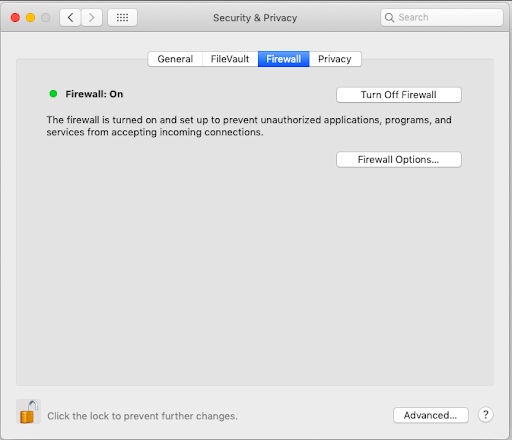
Check if the deactivated firewall has sorted your problem. If this was your case, you need to reconfigure the settings of the existing program of antivirus. It is better that you switch to a new antivirus program.
Now, if your problem is resolved, do not forget to reactivate the firewall before you try to switch for the next fix.
4. Analyze the codes of the website to figure out the codes
You need to check your code to figure out the codes. One can even copy this code to a different development machine. This will do detailed debugging and simulate the situation in which the http error code 504 gateway timeout error occurred. This will assist you to check the exact moment from where things went out of the bay.
Does 504 gateway timeout error affect the Search Engine Optimization?
Yes, it does!! It can seriously take time to fix the 504 gateway timeout error.
Like any other errors such as 502 Bad Gateway, internal server-500, it will prevent your site from loading. This will not only give a black mark among the users but will also hurt the performance of your SEO.
If the web crawler crawls on your website and gives responses for 504 errors, your page will not be crawled. Suppose, if your page has been indexed, then it will lower the search engine results. There are also chances that your page will get de-indexed if you do not solve the issue aptly.
WP Customer Support is a pioneer WordPress development company that can assist you to fix the 504 gateway timeout error. We have proficient tech-nerds who can aptly fix the most complex issues.
We are hired by leading enterprises and SMEs because:-
- Offer 24×7 support
- Experience in developing and fixing the issues
- Experience in working for global clients for various sector
- Experienced and certified developers